GTA 6 Buck Me walkthrough: opening the BuckMe account and your first savings

Buck Me is the Chapter 1 mission that gives Jason and Lucia somewhere to keep their money. The short version: Lucia calls you to the Fleeca branch in Key Lento, the bank turns Jason down over his credit, the manager suggests the BuckMe app, and back home you move the $100 welcome gift into savings with “Buck Yourself”. It takes a few minutes, but it changes how you should handle money from here on. This guide also covers the two small follow-ups, Deposit Cash Into BuckMe and Save for the Future.
Light spoilers: this guide covers one Chapter 1 mission and the characters you meet. Nothing beyond that.
Names and how it starts
On the map it shows up as Set Up Bank Account, with a pink bank icon; in the story menu it is Buck Me. The mission comes after Coming Home, with a call from Lucia.
The mission, step by step
1. At the bank
Go to the Fleeca branch in Key Lento (the one with the green awning) and walk in as Jason. Talk to the teller: she sends you to the manager.
2. The manager
The manager sits at the table in the corner; follow him into his office, where Lucia joins. He checks Jason’s credit, finds it too poor for a regular account and suggests a fintech app, BuckMe. A dialogue choice about money to put down may come up (“Saved Cash” or “Say Nothing”): the outcome is the same.
3. The app and the $100
A cutscene takes you home and a $100 welcome gift lands in your checking account. Open the phone (up on the D-pad) and tap the purple “B” icon. In the app open Checking Account, choose Buck Yourself and move the $100 into Family Savings: that completes the mission.
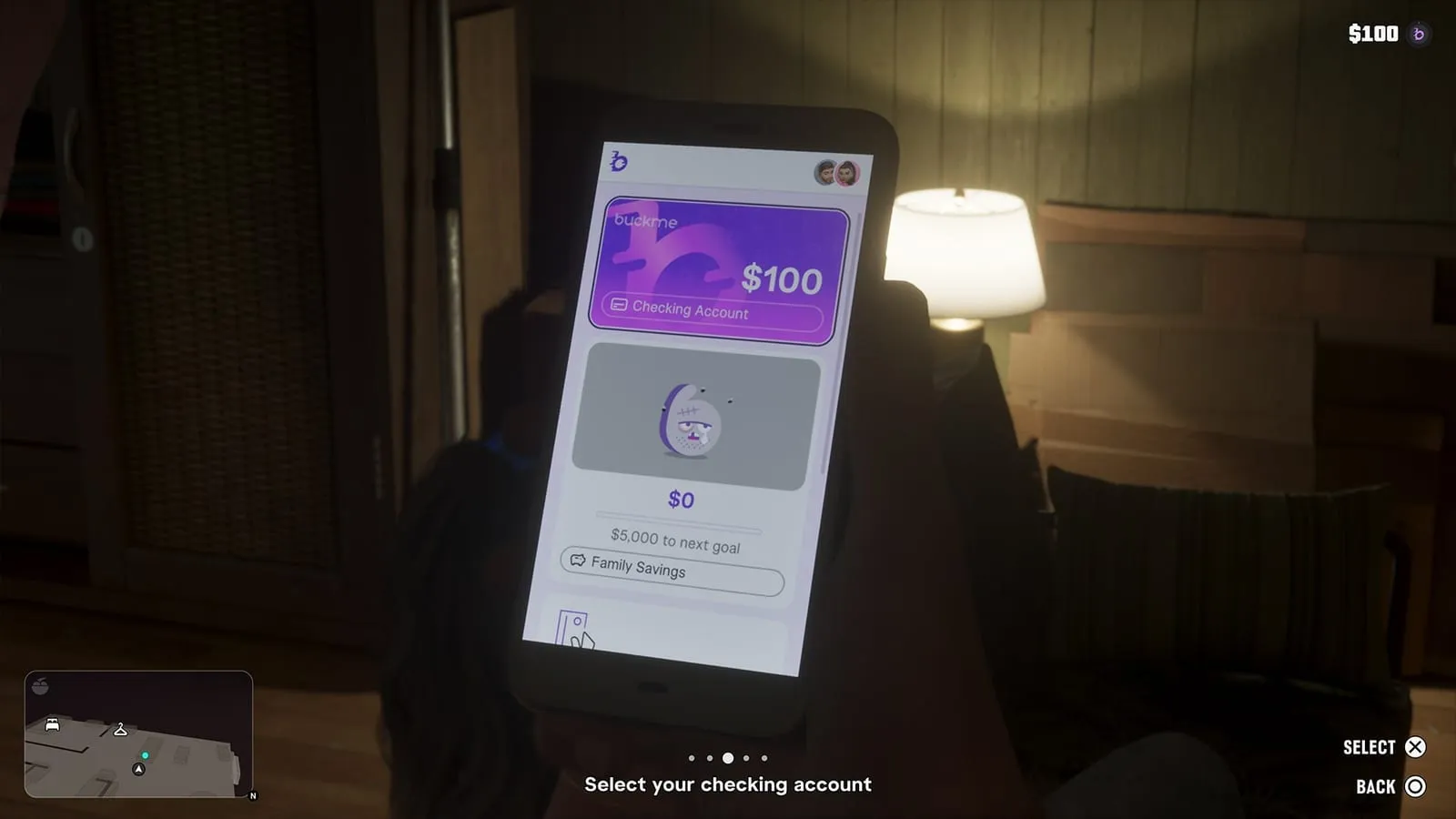
The BuckMe app just opened: the Checking Account with the $100 welcome gift on top, Family Savings still empty underneath, already showing the $5,000 first goal.
| Action | PS5 | Xbox |
|---|---|---|
| Open the phone | D-pad up | D-pad up |
| Talk to the teller and manager | L2, then Cross | LT, then A |
How BuckMe works, briefly
Money in GTA 6 sits on three layers, and the difference matters right away:
- pocket cash is lost if you die or get arrested;
- the BuckMe checking account loses only a smaller part;
- Family Savings loses nothing, but whatever you put in can never be withdrawn.
The advice that follows is simple: do not walk around with a lot of cash. All the details, including the limits and what to do with your money, are in the guide on how to make money in GTA 6.
Deposit Cash Into BuckMe
This is the small follow-up that starts right after. It has no map marker: you find it in the story list on the map. Open BuckMe, choose ATM Finder and then Set Destination: the nearest ATM appears on the map (there is one near Jason’s house). At the ATM, deposit the cash in your pocket; you should also be able to withdraw from checking there. There is no reward.
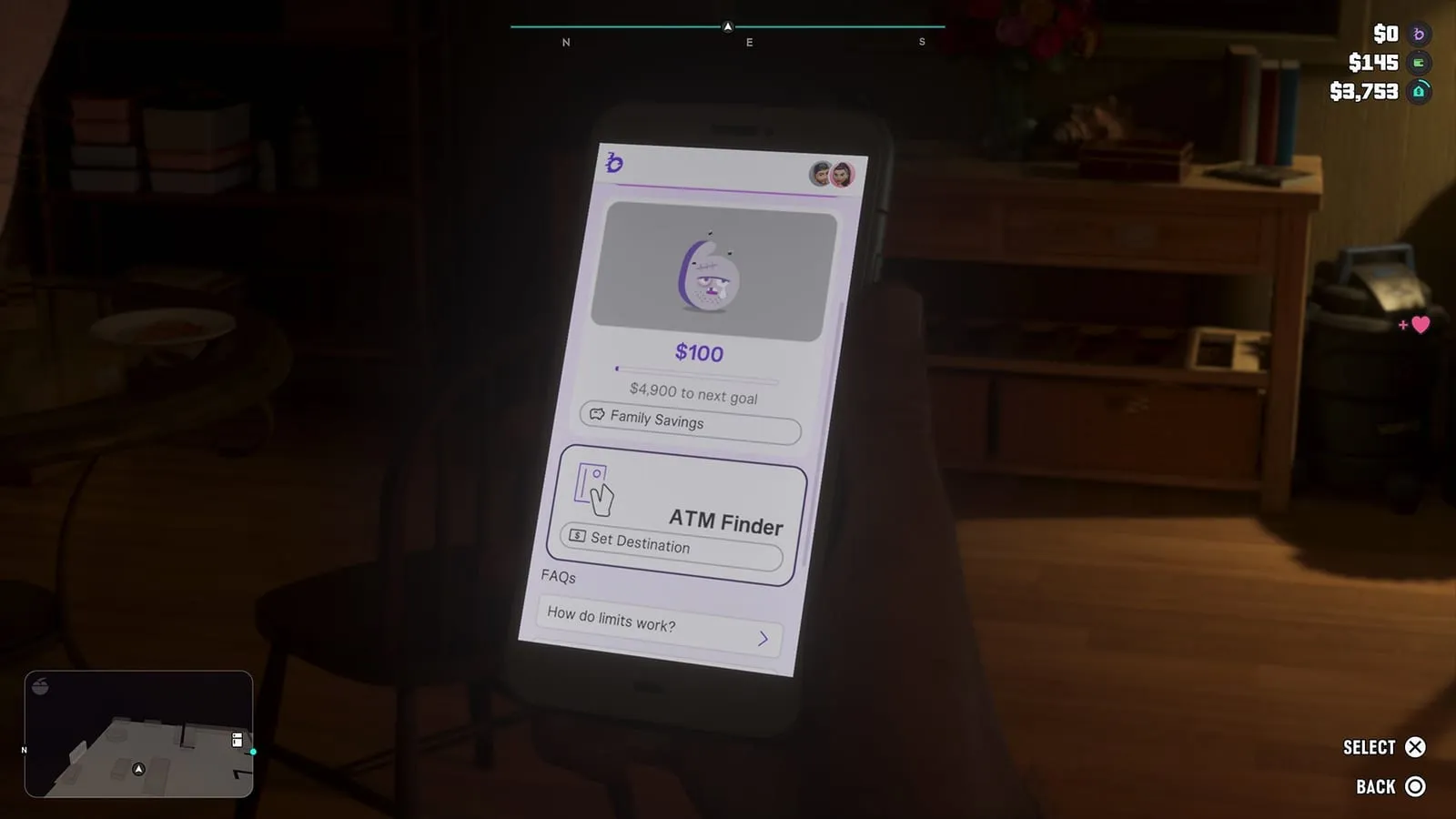
The ATM Finder card, under a Family Savings balance that now shows the $100 you moved. The ATM closest to Jason’s house should be the one at Chuck’s Tackle & Shot.
Save for the Future
This is an objective that runs for the whole story and is not needed to progress: it is the savings tiers. You deposit from the app, anywhere, by moving money from checking into Family Savings. The first goal is $5,000 in savings, including the $100 welcome gift, and savings earn interest. You do not need the $5,000 to carry on with the story.
Where players get stuck
- “The manager won’t open an account”: that is scripted, Jason’s credit is too poor. The account comes through the app.
- “I can’t find the app”: it is the purple “B” icon on the phone.
- “Deposit Cash Into BuckMe isn’t on the map”: it has no marker, start it from the story list.
In short
- Buck Me (“Set Up Bank Account” on the map) comes after Coming Home.
- At the Key Lento Fleeca the manager turns Jason down and suggests BuckMe.
- At home: phone, purple icon, Checking Account, Buck Yourself, $100 into Family Savings.
- Cash is lost, checking loses a little, Family Savings loses nothing but cannot be withdrawn.
- Then Deposit Cash Into BuckMe (ATM Finder) and Save for the Future, first goal $5,000.
Frequently asked questions
How do you open a bank account in GTA 6?
Through the Buck Me mission: Fleeca turns Jason down, and the manager suggests the BuckMe app, which works as both checking and savings account.
Can you withdraw money from Family Savings?
No. What you put into Family Savings cannot be withdrawn, but it is never lost either, even when you die.
Where do you deposit cash in GTA 6?
At any ATM. In the BuckMe app, ATM Finder and then Set Destination mark the nearest one on the map.
Do you need $5,000 to progress the story?
No. Save for the Future is an optional objective that runs through the whole story: you can move on to the next mission right away.
Previous and next mission
In the story recap order, Coming Home comes before and Clean Up After Donnie after. The two can be played in either order: Down to Earth needs both. The full picture is in our guide on how many missions GTA 6 has.